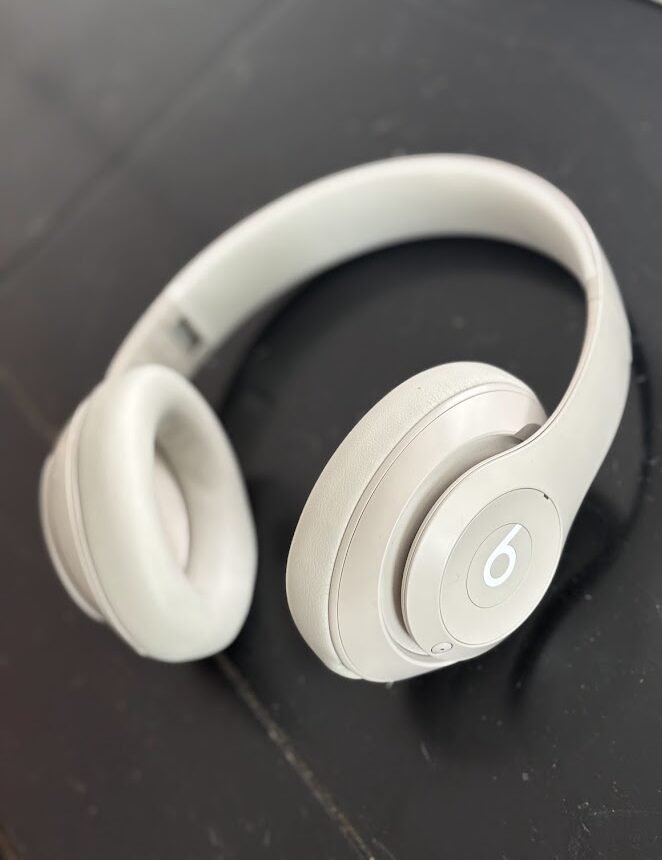
Extend the life of Beats: Upgrade your old headphones.
After, I found an old pair of 2015 Beats headphones in my basement. The sound quality was still great and they worked perfectly, but they had two main issues. The ear cushions were cracking and splitting, and the original cord did not fit my new iPhone. I realized I could Extend the Life of Beats Headphones like these with just a few simple fixes.
With a trip coming up, I needed reliable headphones without the high price tag of a new pair. Instead of tossing my old ones, I tried a different approach. With just two simple upgrades, I was able to extend the life of Beats headphones I already owned. Now they are comfortable, compatible, and ready for my next adventure.
Transparency in Partnerships: Some links are affiliate links where a commission may be earned at no extra cost to you.
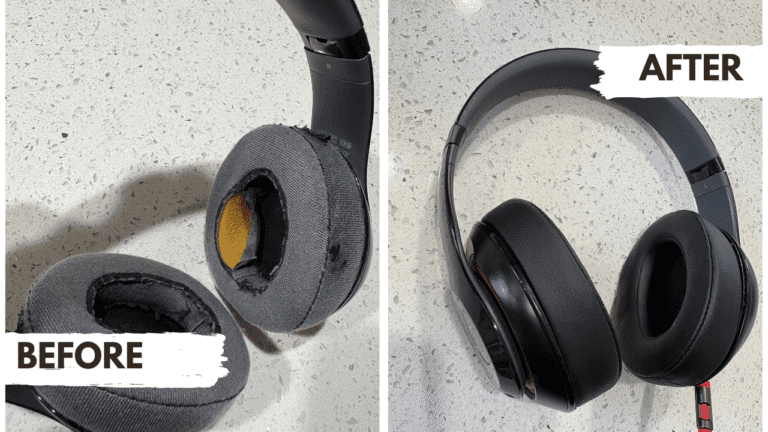
My 2015 Beats Studio 2.0 were looking pretty rough, but a quick refresh made all the difference. A few minutes replacing ear cushions on Beats headphones was all it took to extend the life of Beats headphones and make them feel new again.
How to Extend the Life of Beats Headphones Fast
In fact, if your Beats still sound great but feel worn or outdated, you don’t need to buy new ones either. You can replace ear cushions on Beats headphones and update the cord to restore them fast. Furthermore, these tips work for all Beats models, including Studio Pro, making them an easy way to keep using headphones you already love.
Fix #1: Replace Ear Cushions to Extend Beats Headphone Life
First, ear cushions wear out before the headphones do. When padding cracks or flattens, comfort drops and sound quality suffers. This is the most common reason people consider replacing their Beats, but it’s also the easiest problem to solve.
A quick ear cushion replacement instantly:
- Restores comfort for long listening sessions
- Improves noise isolation and sound quality
- Makes your Beats feel new again
- Costs a fraction of new headphones
Moreover, replacement ear cushions typically cost between $10-20, while new Beats Studio headphones run $200-350. That’s a 90% savings for the same listening experience.
How to Replace Beats Ear Cushions (Step-by-Step) to Extend the Life of Beats
Replacing ear cushions is surprisingly simple and takes less than 5 minutes. In fact, I recently replaced the cushions on my 2015 Beats and recorded the entire process to show you exactly how easy it is.
Quick steps shown in the video:
- Gently peel off the old ear cushion starting from one edge
- Clean the speaker housing with a soft cloth
- Align the new cushion with the groove on the headphone
- Press firmly around the edges until it snaps into place
- Repeat on the second ear cup
As you’ll see in the video, the whole process requires no tools and causes no damage to your headphones. Additionally, the transformation is immediate—your Beats will look and feel brand new.
My Go-To Minimalist Packing Kit
Item | Why I Use It | Check Price |
LOVEVOOK 40L Backpack | Persona Item Approved | |
Veken Packing Cubes | Compress clothes | |
Bliss Travel Jars | Leak-proof liquids | |
Portable Power Bank | Never lose charge |
FAQ: Making Beats Headphones Last Longer
"Why did I decide to repair your Beats instead of buying new ones?"
After testing the sound quality on my 2015 Beats, I realized they still worked perfectly. The only problems were cosmetic—worn cushions and an outdated cable. Spending $18 to replace ear cushions on Beats headphones and swap the cord made far more sense than paying $300+ for new ones that wouldn’t sound much better.
"How long did the ear cushion replacement actually take?"
As shown in my video, the entire process took under five minutes for both ear cups. The hardest part was peeling off the old cushions—everything else snapped into place effortlessly, making it an easy way to extend the life of Beats headphones.
“Do replacement ear cushions feel as good as the original Beats cushions?"
Honestly, the memory-foam replacements I used feel better than the originals. They’re softer, provide better noise isolation.
"Are these fixes worth it for older Beats models?"
Absolutely. My 2015 Beats Studio still deliver excellent sound quality. If your headphones work but just need cosmetic or compatibility upgrades, these fixes extend their life by years.
Fix #2: Add an Adapter to Keep Your Beats Compatible to Extend the Life of Your Beats Headphones
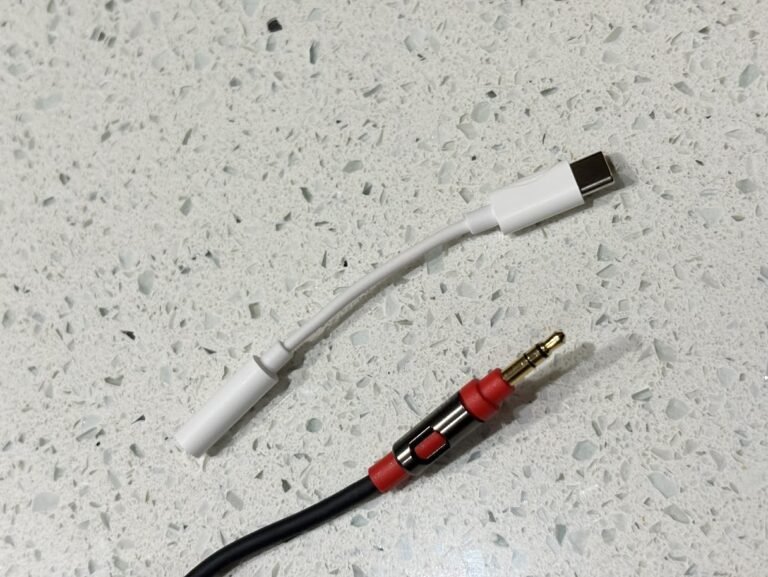
Next, newer phones often lack a headphone jack. Instead of switching to wireless headphones or buying new Beats, use a reliable adapter to maintain compatibility.
A quality adapter:
- Keeps Beats working with modern iPhones and Android devices
- Prevents cable strain and connection issues
- Ensures consistent sound without quality loss
- Provides flexibility for wired listening
Additionally, a good audio adapter costs just $8–15 and helps extend the life of Beats headphones by eliminating the need to constantly charge wireless headphones or worry about battery life during flights.
How These Simple Fixes Extend Your Beats' Lifespan
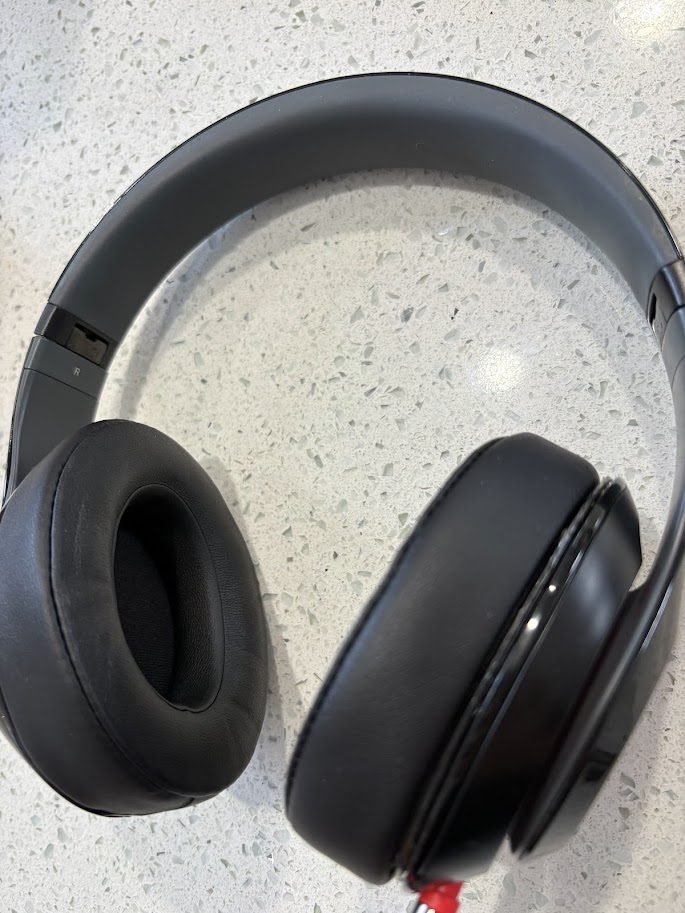
Together, these upgrades cost far less than buying new headphones. More importantly, they protect an investment you already love while keeping perfectly functional headphones out of landfills.
For travel days, flights, and daily listening, this setup keeps Beats reliable and stress-free. In fact, my refreshed Beats have become one of my go-to travel essentials. If you’re looking for more headphone options, check out my guide to the Best Noise-Canceling Headphones for Travel. And for a complete packing strategy, see my Carry-On Packing List for a 5-Day Trip.
Cost Comparison: Repair vs. Replace
Here's the breakdown:
- Replacement ear cushions: $15-25
- Audio adapter: $8-15
- Total investment: $23-40
Compare that to:
- New Beats Studio Pro: $349
- New Beats Solo: $199
By choosing to repair and maintain your Beats headphones, you save over $150-300 while achieving the same result.
Travel-Ready Headphones and More
Now that your Beats are refreshed and travel-ready, the next step is finding the perfect bag for your adventures. The LOVEVOOK 40L is my top pick for a Best Budget Travel Backpack—it offers incredible value without compromising on quality or features.
Looking to pack light for your next trip? These restored Beats pair perfectly with the minimalist approach in my Carry-On Packing List for a 5-Day Trip, where I break down exactly what to bring for maximum efficiency and comfort.